Voice Recorder & Voice Memos
- 4.8
- Rating
- 10.00M
- Installs
- Free
- Price
 Analysis by App-foxy
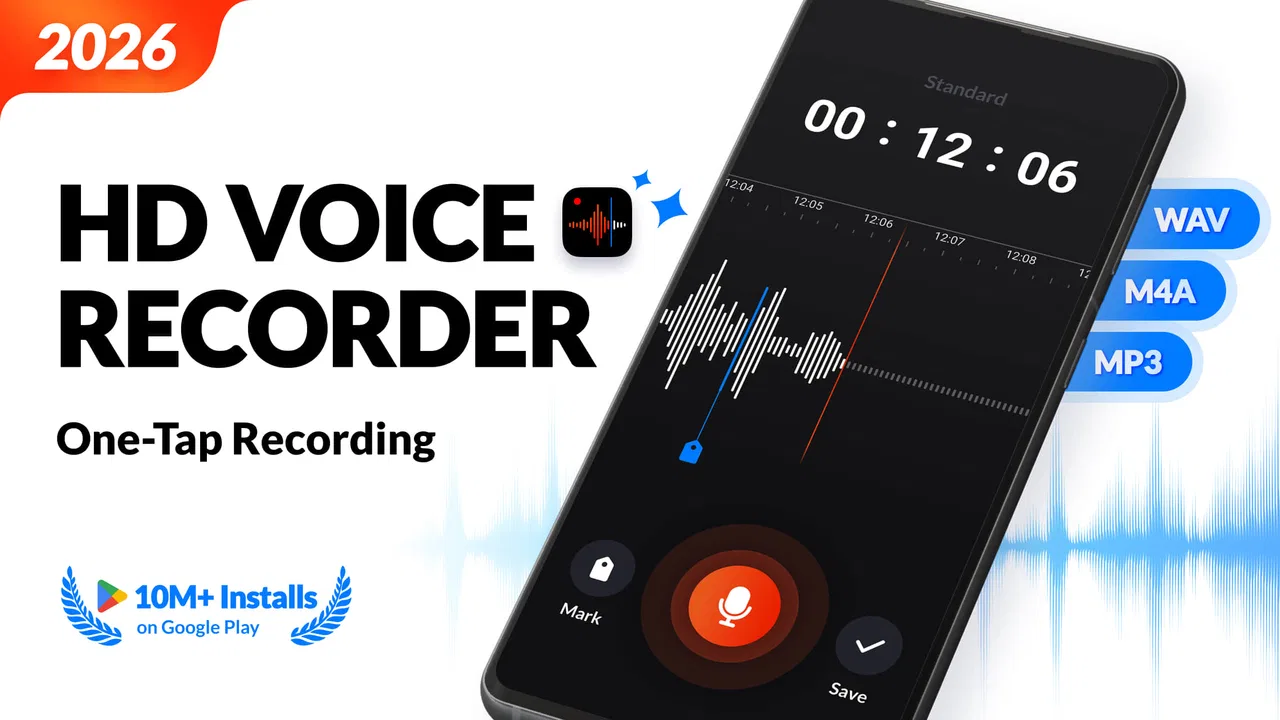
I spent time with Voice Recorder & Voice Memos as a straightforward audio tool, and its appeal became clear quickly: it focuses on capturing sound without turning the experience into a complicated studio. That makes it a natural fit for quick thoughts, spoken reminders, interview notes, lessons, rehearsals, and other moments when opening a recorder and pressing a button is more useful than managing a large project.
This is a free Music & Audio app from Simple Design Ltd., suitable for Everyone and available on devices running Android 8.0 or later. Its current version is 1.3.2.0, and the app has built a strong audience, with an average rating of 4.8 from around 250 thousand ratings and more than 10 million installs. Those figures do not replace personal testing, but they do match my impression of an app designed around an everyday need rather than a specialist workflow.
What makes this recorder useful in daily life
The best way to understand Voice Recorder & Voice Memos is to imagine the small moments where typing is inconvenient. I can speak a reminder while walking, capture a melody before it disappears, record a short explanation for later, or save an idea during a busy day. The app’s central strength is that it keeps those actions close to the surface instead of asking me to learn a full audio-editing environment first.
You May Also Like

 Blood Strike: 2.5 Anniversary
Blood Strike’s Loadouts Turn Every Drop Into a Tactical Gamble
A close look at Blood Strike’s custom loadouts: how fast access to signature weapons reshapes its battle royale rhythm, rewards preparation, and narrows the gap between fights.

 Pandora - Music & Podcasts
Pandora’s Music Is Easy to Start, but Harder to Recover
Pandora’s strength is its low-effort path from a seed to a station. Its weak spot is how much confidence it asks you to place in connection, setup, and quiet recovery.

 8 Ball Pool
 Is Built on Rivalries, Rematches, and Routine
A close look at the rivalries, rematches, shared routines, and unanswered safety questions that turn a quick pool match into a persistent mobile community.

 Samsung Music
’s Quiet Strength Is Playing What You Already Own
Its reach comes less from spectacle than from dependable access to a personal library. That simplicity is both the app’s strongest retention engine and its ceiling.

 AccuWeather: Weather Radar
AccuWeather Review: A Quick, Clear Forecast for Everyday Decisions
For everyday plans, the best forecast is the one you can understand quickly. AccuWeather makes rain timing, radar, and local conditions easy to act on, with a few trade-offs.

 Hill Climb Racing
Why Hill Climb Racing Still Turns Crashes Into One More Run
A tiny car, a bumpy hill and one more upgrade: Hill Climb Racing keeps resurfacing because its simple chaos makes every near-miss feel personal.
More From Our News Desk
View All News


That simplicity matters more than it sounds. A recorder can be technically capable and still be frustrating if I have to navigate several screens before recording. Here, the product’s identity is much clearer: it is meant to be an accessible way to record audio, not a replacement for a professional workstation. I would recommend it first to people who value speed and low friction.
One realistic example is a student leaving a lecture with several thoughts that are difficult to organize while walking between classes. A short voice memo can preserve the explanation, a question, or a revision idea before it is forgotten. Later, the recording can be reviewed when there is time to turn it into written notes. For that use, the app is more practical than opening a notes app and trying to type quickly on a small screen.
Free access is the main part of the value
The app is free to download and use, which gives it an important advantage over paid recorders that ask for money before a user can decide whether the workflow feels comfortable. In my view, that makes it easy to recommend as a first recorder for a phone. The free entry point is especially useful for occasional users who may record only a few times each week.
There are in-app purchases priced from $2.49 to $19.99 per item. That means the free experience should be judged on its own, while paid options should be considered separately rather than treated as part of the basic cost. I would not describe the app as automatically inexpensive for every user, because the purchase value depends on what those optional items provide and how often someone records. The sensible approach is to begin with the free access and pay only if a specific extra is genuinely useful to your routine.
This distinction is important when comparing it with alternatives. A phone’s built-in recorder may already cover occasional voice notes at no additional cost, while a more advanced audio app may justify payment through editing, mixing, file management, or production-focused tools. Voice Recorder & Voice Memos sits between those extremes: it offers a dedicated recording experience without requiring a professional commitment.
Where the app earns its place
I found the strongest value in repeatable, low-pressure recording habits. If I want to keep a running collection of spoken reminders, capture ideas for a project, or make a quick reference recording, a focused recorder is easier to return to than a broad audio suite. The app’s category also sets the right expectation: this is an audio utility first, not a social platform or a music-production package.
It can also help people who think aloud. Some users organize ideas more naturally by speaking than by writing, and a voice memo preserves tone, pauses, and the order in which an idea arrived. That is useful for planning a presentation, preparing questions for a meeting, or outlining a personal project. I would still move important information into written form later, but the recording is a convenient first draft.
Another less obvious workflow is using the phone as a temporary audio notebook. I can record a short observation, label it in a way that makes sense to me, and return to it when I have more time. This works best when I adopt a simple naming habit, such as starting with the subject and adding a brief context. The app does not need to become a complicated archive to be useful; a consistent routine does much of the organizational work.
Recording quality and the limits of a phone
The store summary describes the app as capable of high-quality audio recording, and that is the right reason to consider it when clarity matters. Still, the final result depends on the phone, its microphone, the surroundings, and how close the speaker is to the device. No recorder can remove every problem caused by traffic, wind, echoes, or people speaking far away.
For a cleaner memo, I would place the phone on a stable surface, keep the microphone unobstructed, and avoid handling the device during the recording. In a noisy room, moving closer to the speaker is often more effective than searching for a setting. For music ideas, a quiet corner and a short test recording can prevent the disappointment of discovering later that the main sound was overwhelmed by background noise.
This is also where I would draw a line between casual and professional use. The app can be a convenient capture tool for an interview idea, rehearsal reference, or spoken draft, but I would not choose it as the only part of a critical production workflow without testing the exact phone and environment first. A dedicated recorder or a more advanced audio application may be better when microphone control, multitrack work, detailed editing, or dependable production management is essential.
Small habits that make the experience better
The first useful habit is to record a few seconds before delivering the important part of a message. That short lead-in gives me time to settle the phone and reduces the chance of cutting off the beginning. I also prefer ending with a little room after the final sentence, particularly when the recording may later be trimmed or shared.
The second is separating temporary captures from recordings I intend to keep. A quick idea, a shopping reminder, and an interview note do not have the same long-term value. Reviewing recordings regularly prevents the app from becoming a crowded drawer of unnamed files. This is not a glamorous feature, but it makes a basic recorder much more useful over time.
The third is checking the recording in the same conditions in which it will be used. A memo for personal reference only needs to be understandable. A recording intended for another person needs clearer speech and fewer distractions. Listening back to a short test helps me decide whether I should move closer, change rooms, or use a different microphone before spending time on the full recording.
A fourth trade-off is choosing voice over typing when speed matters, then converting the useful parts into text afterward. Voice is faster for brainstorming but less convenient for scanning. Text is easier to search and quote, but slower to create when ideas arrive quickly. Used together, the recorder becomes a capture stage rather than a complete information-management system.
How it compares with familiar alternatives
The built-in recorder on a phone is the closest alternative. If I only need an occasional clip and already like the default app, switching may not be necessary. Voice Recorder & Voice Memos becomes more attractive when I want a dedicated place for recordings or prefer its focused approach. The decision is less about maximum power and more about which interface I will actually open when an idea appears.
Note-taking apps with audio support are another option. They can be better when every recording must stay attached to written notes, documents, or a larger research system. On the other hand, that broader environment can add distractions. I would choose this recorder when the audio itself is the priority and choose a note-taking platform when the surrounding text and organization matter just as much.
Professional audio tools offer more room for editing and production. They are the better choice for musicians building layered tracks, creators needing detailed post-production, or anyone who requires a carefully managed audio project. Their extra controls can be valuable, but they also make quick recording feel heavier. Voice Recorder & Voice Memos is more appealing when I want to capture first and manage complexity later, if necessary.
Who will get the most from it
I think the app is a good match for students, writers, commuters, caregivers, musicians collecting rough ideas, and anyone who frequently says, “I need to remember that.” It is also approachable for people who are not comfortable with audio software. The Everyone content rating supports its broad everyday positioning, while the Android 8.0 minimum keeps it available to many older devices.
It can be particularly helpful for users who need a low-effort alternative to typing. A spoken checklist, pronunciation practice, personal reflection, or explanation can be captured faster than written text. Someone learning a language might record a phrase and compare later, while a speaker preparing a presentation could listen for unclear sections in a rehearsal. These uses do not require a complex studio interface.
I would skip it if my main goal is advanced audio production rather than fast capture. I would also look elsewhere if I need a recorder tightly integrated with a large document system, extensive editing, or a specialized professional workflow. The app’s strength is focus, and focus naturally means fewer reasons to choose it for work that depends on many layers of control.
My buying advice and final verdict
My recommendation is to start with the free version and judge it against one specific routine: recording a real memo, finding it later, and listening back in the situation where it matters. If that process feels natural, the app is already delivering useful value without requiring a purchase. The optional items, priced between $2.49 and $19.99, should be treated as upgrades to consider only when their particular benefits solve a problem you actually have.
The strong rating and large install base suggest that many people appreciate this straightforward approach, but I would not install it because of popularity alone. I would install it because a dedicated voice recorder can be more dependable in daily use than a general-purpose app I have to search through. The value is practical: faster capture, less typing, and a simple way to preserve sound before the moment passes.
My final view is positive, with a clear boundary. Voice Recorder & Voice Memos is worth trying when you want an uncomplicated recording companion, not a full audio studio. It is free to begin, accessible on Android 8.0 and newer, and broad enough for everyday voice notes, ideas, study material, and rough musical sketches. If your needs grow into detailed editing or production, another tool may serve you better. For quick, repeatable recording, though, this app earns a place on the phone.
Simple Design Ltd. has kept the concept easy to understand, and that is the main reason I would recommend it to a friend. I would tell them to test it in a quiet room, create a naming habit, and avoid paying for extras until the free workflow proves useful. For someone who wants to press record and get on with the day, that is a sensible balance of convenience, access, and control.
FAQs for Voice Recorder & Voice Memos
01What features does the Voice Recorder & Voice Memos app offer?
The Voice Recorder & Voice Memos app provides a range of features including high-quality audio recording, easy file management, and sharing options. Users can record lectures, meetings, and personal notes. The app also offers editing tools, allowing you to trim and enhance recordings for clarity and precision.
02Is the Voice Recorder & Voice Memos app free to use?
Yes, the app is free to download and use. It includes basic recording features at no cost. However, there may be premium features available through in-app purchases. These could include advanced editing tools or additional storage options, enhancing the overall functionality of the app.
03How can I manage and organize my recordings within the app?
The app provides intuitive file management features, allowing users to easily organize recordings. You can categorize files into folders, rename them, and add tags or notes. This makes it simple to retrieve specific recordings later. The search function further aids in quickly finding any file you need.
04Is the app compatible with both Android and iOS devices?
Yes, the Voice Recorder & Voice Memos app is available for both Android and iOS platforms. This ensures that users across different devices can enjoy the app's features. The interface and functionality remain consistent, providing a seamless experience regardless of the operating system.
05Can I share recordings directly from the app?
Absolutely. The app supports various sharing options, allowing you to send recordings via email, messaging apps, or cloud services. This feature is particularly useful for collaborating with colleagues or sharing lecture notes with classmates, ensuring your recordings are accessible whenever needed.
Pros
- High-quality audio recording
- Simple
- intuitive user interface
- Customizable recording settings
- Efficient file management system
- Secure cloud storage options
Cons
- Ads can be intrusive
- Limited editing features
- Requires in-app purchases
- No transcription service
- Lacks advanced audio filters

Voice Recorder & Voice Memos
Gallery